

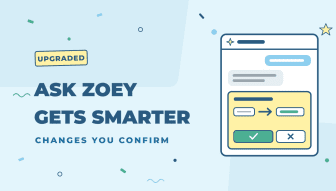
Ask Zoey is the AI assistant built into your Zoey admin. Click Ask Zoey at the bottom right of any admin page, or press Ctrl+J (Cmd+J on a Mac), and ask about your store in plain English. It’s now faster, answers far more questions, and can make simple changes for you, but only after you confirm them.
Changes you confirm
Ask Zoey can now make changes for you, such as “Set the cost of SKU ABC-123 to 7.50”. It can:
- Disable or enable products
- Set a product’s cost, price, special price or stock
- Add an internal note to an order
- Resend an Account’s invitation
- Cancel or delete a quote
Before anything changes, Ask Zoey shows a card with exactly what will change: the record, its current value and the new value. Nothing happens until you click Confirm. Right before it runs, Ask Zoey checks your permissions again and makes sure the record hasn’t changed since you saw the card. It never makes a change on its own.
You can always see what it did. Changes to products, stock, Accounts and quote statuses appear in their audit logs as made by Zoey AI (filter by User or Update From = Zoey AI), and each entry records which admin confirmed it. Order notes show “Zoey AI (confirmed by …)” with the admin’s name.
Faster, and you can watch it work
Answers now appear as they’re written, and while Ask Zoey works it tells you what it’s doing, such as “Looking at product sales…” or “Looking at invoices…”. Most questions take just a few seconds, about twice as fast as before.
Ask about much more
Ask Zoey only ever uses what your role is allowed to see. You can ask about:
- Orders: orders by date, status or Account, one order in detail, what’s waiting to ship and what’s backordered.
- Products: best sellers, slow movers, products that have never sold, who bought a product and who never has, and cost and margin.
- Customers: your top Accounts, Accounts that used to order regularly but have stopped, new sign-ups, and contacts who have never ordered.
- Money: overdue invoices, aging and who owes the most, payments and refunds, and Credit Memos.
- Quotes: drafts, your win rate, and why a quote can’t be converted to an order.
- Settings: which payment methods are on, quote settings, integrations, and what your role can see and do.
- Several years at once: for example, annual sales for each of the last five years in one answer.
Try questions like:
- “What sold best last month by units and by revenue?”
- “Which products haven’t sold in the last 90 days?”
- “Which Accounts used to order regularly but have stopped?”
- “List overdue invoices with their due dates”
- “Why can’t this quote be converted to an order?”
What else Ask Zoey can do
Ask Zoey could already help with a lot before this update, always limited to what your role is allowed to see:
- Reports: it knows every report in your Reports menu and runs the Orders, Coupons, Shipping and Tax reports. Break results down by Customer Group, Sales Rep, payment method, coupon, shipping method or state, compare periods, and see daily, weekly, monthly or yearly trends.
- The report you are on: on the Reports pages, it knows which report and filters you have open, so you can just ask about it.
- Who owes you: open balances by Account with aging, and one Account’s open invoices.
- Top customers: Accounts or Contacts by revenue or number of orders, compared with an earlier period.
- Low stock: products below their notify quantity.
- Look up a product: search the way the Products grid does, and see prices, Customer Group prices, tier prices, stock, and recent sales with top buyers.
- Find records: Accounts, Contacts and orders by name, email or number.
- Customer Groups and Contacts: who is in each group, logins, and who has and hasn’t ordered.
- Your settings in plain English: checkout and cart, shipping methods, payment methods, tax, emails, abandoned cart emails, integrations such as Klaviyo, store contact emails, inventory, reCAPTCHA and bots.
- Explains messages: for example, why a visitor’s cart wasn’t saved (Zoey treated the visitor as a bot).
- Your access: what your role can see and do.
- Picks up where you left off: your latest conversation reopens on the next page, and History keeps conversations for 90 days.
How-to help, with links
Ask how to do something, such as “How do I set up net terms?” or “How do I give a customer a credit for a damaged item?”, and Ask Zoey answers from Zoey’s help articles with links to read more.
A nicer panel
- The panel is wider, and you can drag its edge to make it the size you like.
- Answers are easier to read, with real tables and links straight to orders, products and Accounts.
- It stays open as you move between admin pages.
- Your conversations are kept for 90 days under History.
Also new: in every audit log, Previous and Next in Audit Details are proper buttons, and the panel no longer slides out and back in as you move between entries.
