

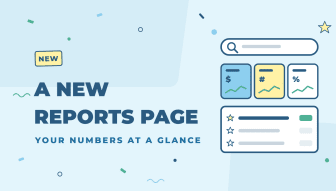
Zoey has a lot of reports, and finding the right one used to mean scrolling through menus. The Reports page has been rebuilt so you can search for the report you need, keep your favorites at the top, and see how your store is doing before you open a single report.
What’s on the page
- Search by what a report answers: type a word like “receivable” or “past due” and every matching report shows, even when that word isn’t in the report’s name. Group buttons such as Sales and Payments & Tax narrow the list.
- Star your favorites: click the star on any report and it appears in the Starred line at the top of the page. Stars are saved for each user.
- Most run in your store: quick links to the reports your team opened most in the last 30 days.
- Your numbers at a glance: cards show Sales (with the change from the previous period and a trend line), Orders, Money owed, Open quotes and your Best customer, plus Top product, New accounts, Low stock and the accounts that are Slipping away. Switch between Today, Month, Quarter and Year. Each card only shows to users who can open the report behind it.
- Refresh Statistics in one click: the old Refresh Statistics page is now a single button on the Reports page, with the time of the last refresh next to it.
- Ask about any report: if Ask Zoey is on for your store, each report has an Ask button so you can ask a question about it in plain English.
New in the reports themselves
- Sales by account attribute: Reports › Sales › Orders can now group and filter orders by an account attribute, such as a region or production location. Open Accounts › Attributes, edit a Dropdown, Yes/No or Text attribute and tick Sales Reports (Admin) in its Forms list. Then pick it under Group by or More filters.
- Products Ordered: customer name or External ID: a new Customer Display option on Reports › Products › Products Ordered shows each customer’s name or their Account’s External ID instead of their email. Email is still the default, and CSV and Excel exports use the column you choose.
- Simpler report filters: filters on the classic report pages are grouped into Date range, Orders, Customers and Display, the filter panel can be collapsed, and date presets such as Month to date and Last quarter save typing.
Where to find it
Click Reports in the left menu. Permissions haven’t changed, so each user only sees the reports their role allows.
The new Reports page is available now for every Zoey store.
